
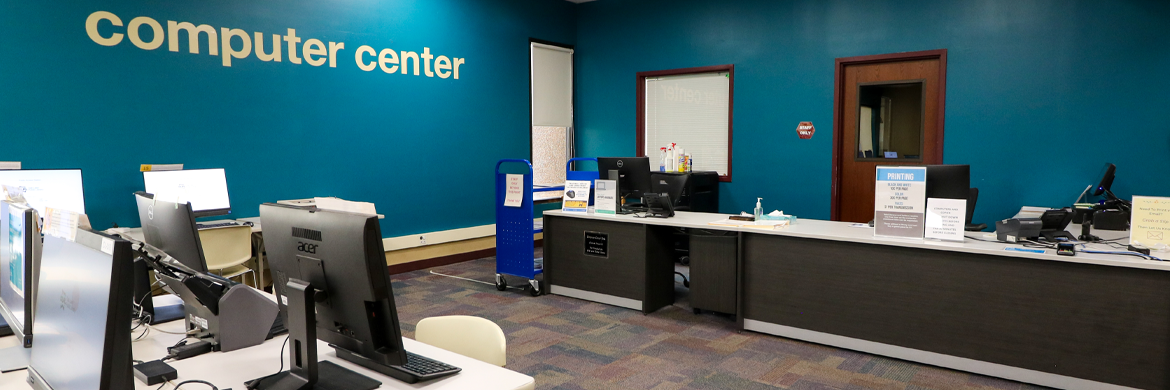
Computer Center Services
Public Access Computers
- All computers shut down 15 minutes before the Library closes.
- Computers are available on a first-come, first-served basis, with no reservations.
- Library staff may offer basic assistance to users as time and staff knowledge permits, but cannot offer personal instruction in the use of computer software.
- Users are subject to the Library’s Board Policy 4.12 Access to Electronic Information.
- All user files are deleted when the computers are signed out.
Patrons may use their valid SWAN or registered reciprocal borrower library card number to log into the computers for one (1) hour.
Guest passes for one (1) hour may be purchased for $1 from the Computer Center Desk. Students can present their current student ID to receive a free guest pass.
Two walk-up computers are available for fifteen (15) minutes of use, free of charge. One walk-up computer is equipped with a document scanner.
Laptops
The Computer Center has six (6) laptops available for in-house use.
- Laptops are available to patrons 16 years or older and require a current photo ID to check out.
- A valid library card number or guest pass is required to sign into the laptops.
- Laptops are equipped with a built-in camera and microphone.
- Laptops must remain inside the building.
Wi-Fi
Public wireless internet access is available throughout the building for free. Connect to OlplFreeWiFi; no password needed. Users are subject to the Library’s Board Policy 4.12 Access to Electronic Information. This internet connection is unsecured, and the Library strongly recommends that users do not transmit sensitive data while using the wireless network.
Print, Copy, Scan and Fax Services
Printing
- Black and white printing is $0.10 per page.
- Color printing is $0.30 per page.
- Printing may only be done on Library-supplied paper.
There are three ways to print wirelessly:
- Use the ePRINTit website to upload your files. Visit the library and pay for your print job(s) at the Print Release Station.
- Mobile users can download the ePRINTit SaaS app for Apple or Android. Upload and submit your files using the app, then visit the library and pay for your print job(s) at the Print Release Station.
- Documents and emails can be sent or forwarded to the following two email addresses.
- BW Printer: bw-olpl@eprintitsaas.com
- Color Printer: color-olpl@eprintitsaas.com
- After sending, check your inbox for email confirmation and a release code. Visit the library and use this code at the Print Release Station.
Any files sent, but not printed, will be deleted after 24 hours.
Copy, Scan and Fax Services
Both flatbed and document scanners are available at computer stations in the Computer Center.
Computer Center staff aid in making copies, scanning to email/USB flash drive, or sending a fax using the copy machine on the second floor near the Computer Center.
A self-service copy machine is located on the first floor across from the Customer Service Desk.
- Black and white copies are $0.10 per page.
- Color copies are $0.30 per page.
- Scanning is free.
- The Computer Center Desk sells USB flash drives for $6.
- Faxes are $1 per transmission.
- Fax cover sheets are available at the Computer Center Desk.
- We do not support the receiving of faxes.
Technology Classes
The Computer Center offers a wide array of digital literacy trainings and customized technology classes for a variety of ability levels. Please see our upcoming events below and see all programming on our online event calendar.
You can watch expert tech courses to learn many basic programs on OLPL’s YouTube channel.
Database Access
Please see our Research Resources page for a complete list of our digital offerings.
Earbuds/Headphones
Library computers are equipped with audio jacks for headphones or earbuds. The Computer Center is considered a quiet area, so patrons must use headphones or earbuds if they wish to listen to computer audio. The Computer Center Desk sells earbuds for $1.
Typewriter
A typewriter is available for use in the Computer Center. Access to the typewriter is free. Patrons provide their own paper.
Lamination
Please see Computer Center staff for lamination services. 8.5 x 11 inch lamination sheets may be purchased from the Computer Center Desk for $0.25 each.